Now a day’s all latest applications are not only following traditional membership provider. It is integrated with other system authentication mechanism like Google, Facebook, Microsoft, yahoo etc.
You can use the Google credential to login to other web application. This avoid the drawback of old membership like
- Maintaining a local database for usernames and password is a large security liability
- Website registering is annoying to the user
- Remember security credential of the all the website is very difficult for the user
OAuth and OpenID are the open standard for authentication. These protocols allow your user to login into your site using their existing account on other trusted sites like Google, Microsoft, FaceBook, Yahoo etc
MVC application provides a simple way to integrate the external login system into your website and it also comes with default project template.
Authorization provides are configured in “App_Start\AuthConfig.cs” . By default all the codes are commented. You can uncomment to use the other site authentication system
Code:
Example:
Let’s create a simple application to login into website using Google credential.
Step 1:
Create a sample MVC application with “internet” project template
Step2:
Run the application and login screen will be display as below.
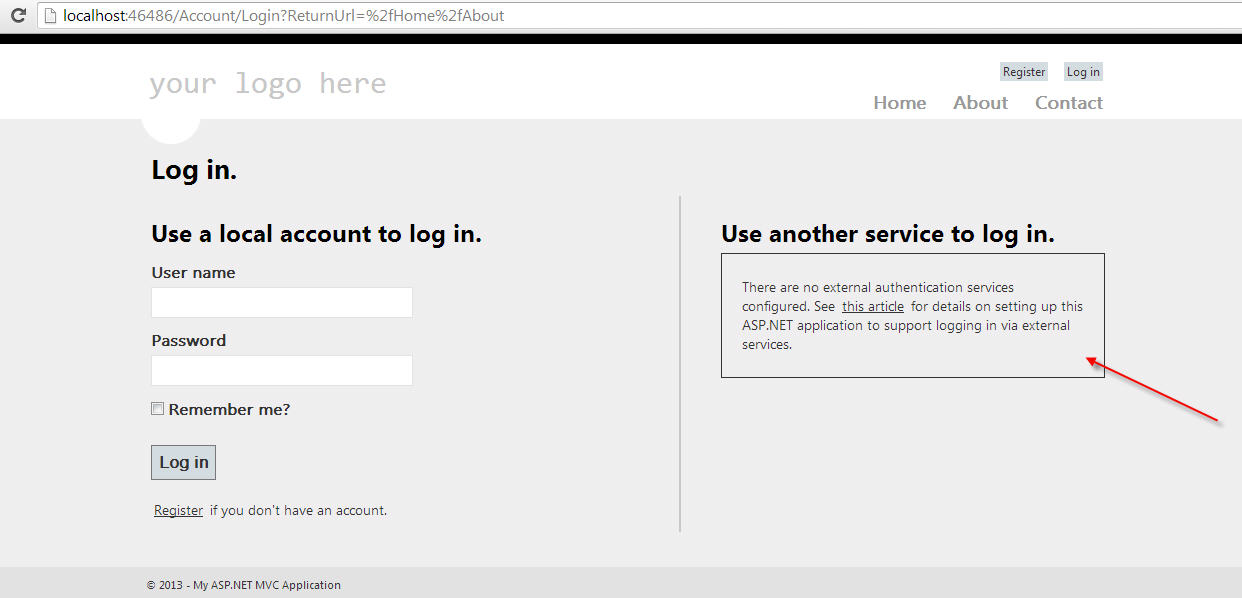
Step 3:
Uncommented the Google web security in “\App_Start\AuthConfig.cs”. Run the application to diplay another login service added to login screen.
After uncommented

Step 4:
Click on “Google” button will display the external login screen, where you need to provide your Google credential

Step 5:
After authentication by Google service, it will request you to allow your site to access the Google credential.

Step 6:
Register Google credential into your application. Click Register

Step 7:
After successful authentication using Google service, below output will be shown
